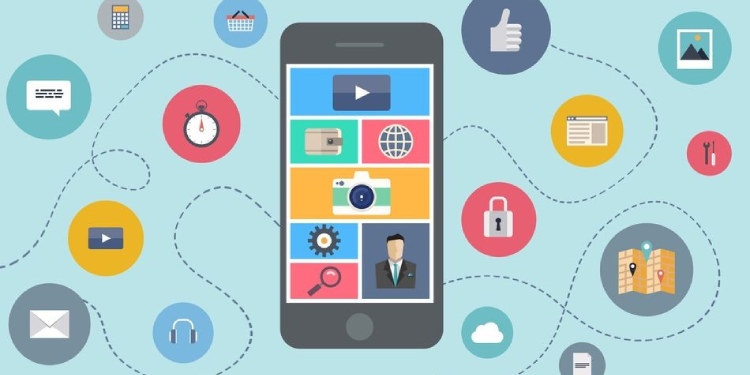
In today’s world, you can find an app for almost everything. There is actually a sea of mobile apps available in which you can find a mobile app of every kind. Among the sea of apps, utility apps stand out for their purpose-driven functionality. Utility apps are the apps that help us stay organised, productive, and efficient. These apps perform various functions from scanning documents and setting reminders to managing files and sharing data.
But not all utility apps are created equal. Some offer smooth and intuitive experiences and deliver exactly what they promise, while others are slow, clunky, and don’t deliver what they advertise. So how can you tell the difference between a good utility app and a great utility app? Let’s find out!
1. User-Friendly Interface
The first thing that differentiates a great utility app from the rest is the user interface (UI) of the app. A cluttered and confusing design can ruin the experience and destroy the whole purpose of a utility app, which is to save you time. A great utility app always has a clean, intuitive, smooth, and user-friendly design so that users can quickly access the features that they need instead of navigating here and there.
CamScanner is an example of a great utility app because it has a clean and straightforward interface. Even first-time users can scan, crop, enhance, and share documents within just a few seconds, making it a great utility app to have for free from the Play Store and App Store.
2. Cross-Platform Compatibility
Cross-platform compatibility is becoming extremely important for mobile apps, especially utility apps, because multiple devices are dominating the world these days. You may start working on your laptop, switch to your tablet, and end up finishing up on your phone. That is why cross-platform compatibility is a critical feature in any utility app.
A mobile app that works seamlessly across iOS, Android, and web platforms can allow users to access the same files on multiple devices, sync files in real time, and avoid loss of work. If an app works well only on one OS, it limits your flexibility, while cross-platform support ensures that you are not tied down to one device or OS.
3. Offline Functionality
A truly great utility app is one that works even when you are offline. You should not lose access to your key features just because your internet connection drops momentarily. An app with offline functionality enables you to work in scenarios like travelling, remote areas with weak signals, and airplane mode.
There are tons of apps like SHAREit, Xender, or CamScanner that work smoothly without the internet and offer users access to all the features. In contrast, apps that are cloud-dependent aren’t regarded highly by users, as they become useless without an active internet connection.
4. Regular Updates & Support
Many people overlook this: having ongoing developer support means that the app is a quality app. Apps that are regularly updated are more secure, stable, useful, and feature-studded over time. With regular updates, developers fix bugs, add new features, improve compatibility with new devices, and listen to user feedback.
Always make sure that the utility app that you choose was last updated recently and read user reviews for any red flags, as apps that haven’t been updated in years can pose security risks or they may crash frequently on newer devices.
5. Strong Privacy & Security
Utility apps often have to handle sensitive personal and work-related data as well, due to which security and privacy cannot be an afterthought or overlooked. A great utility app is the one that takes privacy and security seriously and offers features like end-to-end encryption, password or biometric access, local data storage, and transparent privacy policies.
For instance, if you are using a utility app to share private files, you want to ensure that your data isn’t being uploaded elsewhere without your permission, and this is the quality of a great utility app.