
Friday, December 5, 2025
MediaNews4U
  • Exclusive
  • Advertising
  • Media
    • Radio
    • Cable & DTH
    • Print
    • Digital Frontier
    • Gaming Nexus
  • Television
  • OTT
  • Ad-Tech
  • Marketing
  • Campaigns
  • Analysis
  • Opinion
    • Opinion
    • Think Through
    • Prescience 2023
    • Prescience 2024
  • People
  • Events
    • Leader Speak
    • STRAIGHT TALK
    • Gamechangers
    • Print & TV Summit
MediaNews4U
  • Exclusive
  • Advertising
  • Media
    • Radio
    • Cable & DTH
    • Print
    • Digital Frontier
    • Gaming Nexus
  • Television
  • OTT
  • Ad-Tech
  • Marketing
  • Campaigns
  • Analysis
  • Opinion
    • Opinion
    • Think Through
    • Prescience 2023
    • Prescience 2024
  • People
  • Events
    • Leader Speak
    • STRAIGHT TALK
    • Gamechangers
    • Print & TV Summit
MediaNews4U.com
Home Native Content

Essential Excel Shortcuts We Need To Know After Extracting Data From PDF

by Native Content
August 2, 2024
in Native Content
Reading Time: 4 mins read
A A
Essential Excel Shortcuts We Need To Know After Extracting Data From PDF
Share Share ShareShare

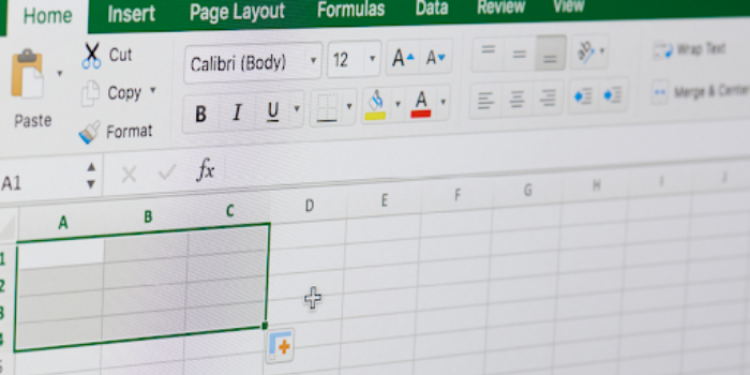
Navigating Excel skillfully is key, especially after extracting data from a PDF. With around 1 billion users, Microsoft Excel is a superior tool for data analysis and management. Once you have transferred all the data from a PDF to Excel, essential shortcuts can significantly speed up your process.

From basic navigation shortcuts to formatting shortcuts, these Excel codes can transform data wrangling into a more efficient task. We are about to get right into the must-know Excel shortcuts for productive and efficient data handling.

Extracting data from PDFs to Excel

Need to convert all your data from PDF to Excel online? Seems time-consuming. Well, it’s not! Using Adobe Acrobat online services, you can do it in just a few steps. Let’s learn how to do it:

  • Install and open Adobe Acrobat on your device.
  • Open the PDF from which data has to be extracted, in Adobe Acrobat online services.
  • Click on “File” > “Export To.”.
  • Choose “Spreadsheet” as the format and select “Microsoft Excel Workbook.”.
  • Click “Export” and give a desired name to your Excel file.
  • Your file will be saved, You can now open it and make any changes if needed.

Basic navigation and editing shortcuts

Tired of clicking around? Using these Excel shortcuts, you can easily move around without having to use your mouse again and again. Master the following shortcuts to save your precious time:

  • Ctrl+Home: Navigates to the first cell (A1) in your sheet.
  • Ctrl+End: Navigates to the last cell with data in your sheet (not necessarily the absolute bottom cell).
  • Arrow Keys: Up, Down, Left, and Right navigate one cell at a time in the corresponding direction.
  • Ctrl+Arrow Keys:
    • Left/Right: Jump to the beginning/end of the current row.
    • Up/Down: Jump to the beginning/end of the current column (not necessarily the bottom).
  • Ctrl+C & Ctrl+V: The perfect duo for copying and pasting.
  • Ctrl+Z: Undoes the last action you performed.
  • Ctrl+Y: Redoes the last undone action.
  • Ctrl+1: Opens the Format Cells dialogue box to customise cell appearance.
  • F1: Brings up context-sensitive help within the programme, not necessarily for editing the cell directly.
  • Ctrl+A: Selects all cells on the current worksheet.
  • Delete: Deletes the contents of the selected cell(s).
  • Backspace: Deletes the character behind the cursor in the selected cell.

Mastering formatting and formulas with keyboard shortcuts
Formatting and entering formulas are crucial aspects of PDF to Excel creator for clear and functional spreadsheets. Fortunately, keyboard shortcuts offer a powerful way to streamline these tasks, boosting your efficiency and productivity.

This guide equips you with essential keyboard shortcuts that will help you:

  • Bold (Ctrl+B): Make important texts stand out.
  • Italic (Ctrl+I): Emphasise specific elements with an italic touch.
  • Underline (Ctrl+U): Draw attention to key points with underlining.
  • Currency Format (Ctrl+Shift+$): Display numbers as monetary values with a dollar sign.
  • Percentage Format (Ctrl+Shift+%): Express values as percentages with a percent sign.
  • Insert Current Date (Ctrl+;): Effortlessly populate a cell with the current date.
  • Insert Current Time (Ctrl+Shift+:): Quickly add the current time to a cell.
  • Repeat Last Action (F4): Save time by repeating the last action, especially useful for filling formulas down a column.
  • Cancel Cell Editing (Esc): Made a mistake? Press Esc to discard changes.
  • Move Down a Cell (Enter): Confirm your entry and move down one cell.
  • Move Right a Cell (Tab): Confirm your entry and move to the right cell.

Explore your spreadsheet software’s additional options to further enhance your efficiency. With practice, you’ll be a spreadsheet whiz, manipulating data and creating impressive presentations in no time.

Data manipulation

Become a data wizard using data manipulation shortcuts. Sort, filter, transform, and analyse your data using the following shortcut keys:

  • Ctrl+X: Cuts cells and moves them elsewhere within the spreadsheet.
  • Ctrl+D: Fills down the contents and format of the topmost cell in a selected range. (Note: This doesn’t necessarily copy the cell from the top, but replicates the content in the first cell of the selection.)
  • Ctrl+Shift+&: Autofills a series of data, commonly used for dates or numbers in a sequential pattern.
  • Ctrl+` (grave accent): Toggles between showing formulas and their results in the selected cells.
  • Sort & Filter (Data Tab): These are functionalities within the “Data” tab, allowing you to organise and narrow down your data set with a few clicks.

Advanced techniques

Beyond the basics, keyboard shortcuts offer even more powerful tools to navigate, manipulate, and analyse your data. Here are some advanced shortcuts to elevate your spreadsheet mastery:

  • Jump to cells (F4): Find any cell by name with a flash.
  • Advanced search (Ctrl+F): unearth data or replace text with ease.
  • Select specific cells (F5): Highlight errors or blanks in seconds.
  • Switch sheets (Ctrl+Tab): Flip between worksheets like a web browser.
  • Save As (Ctrl+Shift+S): Save copies in different formats (CSV, PDF).
  • Close the workbook (Ctrl+W): Done working? Close the file with a click.

PDF to Excel creator made simple with Adobe 

Extracting data from PDF to Excel may be easy, but sharpening Excel shortcut skills is the real deal. Using shortcuts, you can save time and maintain productivity during data analysis and management. Excel’s global usage and comprehensive features have made it a dominant tool. Embrace these keyboard shortcuts and become a pro at data transformation.


Tags: Essential Excel Shortcuts

RECENT POSTS

USA Visa and Travel Insurance Requirements for Indians
Native Content

USA Visa and Travel Insurance Requirements for Indians

December 3, 2025
0

A visit to the United States is a huge milestone for many Indians. The process of applying for a US...

Read moreDetails
How Digital Traffic Records Influence Two-Wheeler Insurance Premiums
Native Content

How Digital Traffic Records Influence Two-Wheeler Insurance Premiums

December 3, 2025
0

The rapid growth in technology enables easy, precise accountability for driving records, such as e-challans and insurance claim history. The...

Read moreDetails
The Growing Need For HSRP Number Plates In Maharashtra: What Motorists Should Know
Native Content

The Growing Need For HSRP Number Plates In Maharashtra: What Motorists Should Know

December 3, 2025
0

Since April 1, 2019, all manufactured cars have been registered with High Security Registration Plate (HSRP) as per a mandate...

Read moreDetails
Parimatch and Manchester United Launch New Collaboration In Asia and MENA
Native Content

Parimatch and Manchester United Launch New Collaboration In Asia and MENA

December 2, 2025
0

Parimatch has signed a long-term partnership with Manchester United, becoming the club’s official betting partner across Asia and the MENA...

Read moreDetails
Choosing a Glass-to-Glass Door Lock: Durability, Design & Ease
Native Content

Choosing a Glass-to-Glass Door Lock: Durability, Design & Ease

November 28, 2025
0

A glass-to-glass door lock plays a vital role in both home and commercial interiors. These locks not only secure spaces...

Read moreDetails
How to Find Verified Packers and Movers in Mumbai for a Safe and Quick Move
Native Content

How to Find Verified Packers and Movers in Mumbai for a Safe and Quick Move

November 24, 2025
0

Shifting houses is a very tiresome and tense job as it requires packing each and every item in your home...

Read moreDetails

LATEST NEWS

Iss Game mein Dil milega ya Deal. The Choice is yours! Watch MTV Splitsvilla X6 Premiering From 9th January

Iss Game mein Dil milega ya Deal. The Choice is yours! Watch MTV Splitsvilla X6 Premiering From 9th January

December 5, 2025
Stanley Retail names Abhijeet Sonar as Chief Executive Officer

Stanley Retail names Abhijeet Sonar as Chief Executive Officer

December 5, 2025

ANALYSIS

Quick Commerce powers 45% of festive purchases this year: WPP Media-Meta Consumer Report
Analysis

Quick Commerce powers 45% of festive purchases this year: WPP Media-Meta Consumer Report

December 5, 2025
0

Mumbai: Quick commerce continues to reshape how India shops, now accounting for 45% of all festive purchases and nearly two-thirds...

PEOPLE

Stanley Retail names Abhijeet Sonar as Chief Executive Officer
People

Stanley Retail names Abhijeet Sonar as Chief Executive Officer

December 5, 2025
0

Bengaluru: Stanley Lifestyles Limited, an integrated super-premium and luxury furniture manufacturer and retailers, todayannounced the appointment of Mr. Abhijeet Sonar...

MARKETING

MILKMAID honors the nation’s love for Kheer on World Kheer Day
Marketing

MILKMAID honors the nation’s love for Kheer on World Kheer Day

December 5, 2025
0

Mumbai: Nestlé MILKMAID, a brand synonymous with indulgent desserts, today announced the celebration of World Kheer Day on 30 November,...

Subscribe to Newsletters

ADVERTISING

Project Worldwide announces launch of India/South Asia “Project Hub” in Bangalore
Advertising

Project Worldwide announces launch of India/South Asia “Project Hub” in Bangalore

December 4, 2025
0

Bangalore: Project Worldwide, a agency holding company, has announced the official launch of its India/South Asia “Project Hub” in Bangalore....

PRINT

Durga Chakraborty joins Dainik Bhaskar Group as Corporate Sales Head – South India
Print

Durga Chakraborty joins Dainik Bhaskar Group as Corporate Sales Head – South India

November 21, 2025
0

Mumbai: Dainik Bhaskar Group, India’s largest newspaper group, has further strengthened its leadership presence in the southern market with the...

AUTHOR'S CORNER

How Can Brands Ensure Relevance and Longevity? Keep Up with the Changing World
Authors Corner

How Can Brands Ensure Relevance and Longevity? Keep Up with the Changing World

December 4, 2025
0

At some point, every brand faces two choices: evolve with time or watch the world move on without it. The...

UPLIFT MEDIANEWS4U DIGITAL PVT LTD
No. 194B , Aram Nagar 2, JP Road,
Versova, Andheri West
Mumbai - 400061

For editorial queries:
[email protected]
[email protected]

For business queries:
Smitha Sapaliga - +91-98337-15455
[email protected]

Recent News

Network18 x Liebherr: Innovate & Evolve – Privé Champion a New Era of Engineered Luxury and Future-Ready Living

Network18 x Liebherr: Innovate & Evolve – Privé Champion a New Era of Engineered Luxury and Future-Ready Living

December 5, 2025
Iss Game mein Dil milega ya Deal. The Choice is yours! Watch MTV Splitsvilla X6 Premiering From 9th January

Iss Game mein Dil milega ya Deal. The Choice is yours! Watch MTV Splitsvilla X6 Premiering From 9th January

December 5, 2025
Stanley Retail names Abhijeet Sonar as Chief Executive Officer

Stanley Retail names Abhijeet Sonar as Chief Executive Officer

December 5, 2025

Newsletter

Subscribe to Newsletters

Medianews4u.com © 2019 - 2025 All rights reserved.

  • The South Side Story 2023 Download Report
  • Goafest 2023: Day 3
  • Goafest 2023: Day 2
  • Goafest 2023: Day 1
  • Straight Talk Gallery 2022
  • The South Side Story 2022 Download Report
  • Focus 2022
  • Futurescope Conclave Gallery 2022
  • The South Side Story 2021 Download Report
  • FOCUS 2021
  • Exclusive
  • Exclusive
  • Advertising
  • Media
    • Radio
    • Cable & DTH
    • Print
    • Digital Frontier
    • Gaming Nexus
  • Television
  • OTT
  • Ad-Tech
  • Marketing
  • Campaigns
  • Analysis
  • Opinion
    • Opinion
    • Think Through
    • Prescience 2023
    • Prescience 2024
  • People
  • Events
    • Leader Speak
    • STRAIGHT TALK
    • Gamechangers
    • Print & TV Summit

Medianews4u.com © 2019 - 2025 All rights reserved.